
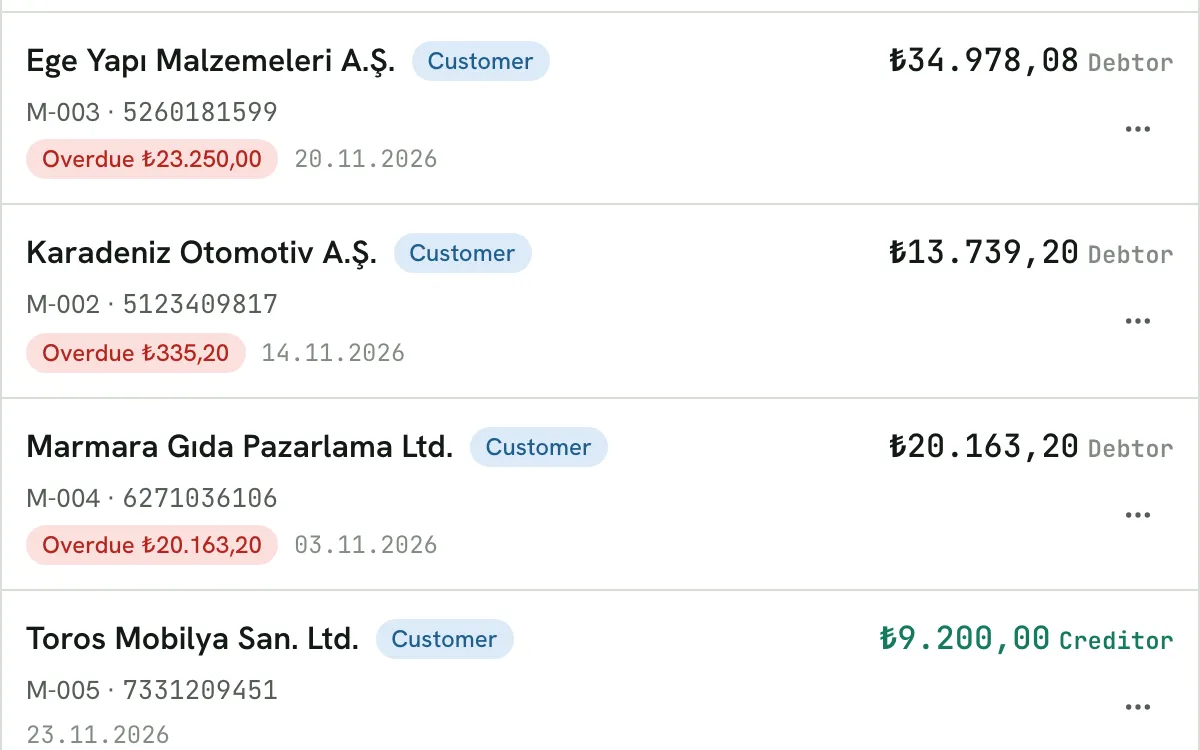
Who owes how much?
Balances update with every invoice and payment; overdue amounts show in red.
Pre-accounting and e-Invoice software
e-Invoices, stock, customer balances, cash and bank in one program. Opens in your browser, nothing to install.
Try it: issue an invoice and watch the rest
Illustration with sample data
See what it does in our intro video. Step-by-step tutorials are on our channel.
Tutorial videos
Real screens with sample data.
Balances update with every invoice and payment; overdue amounts show in red.
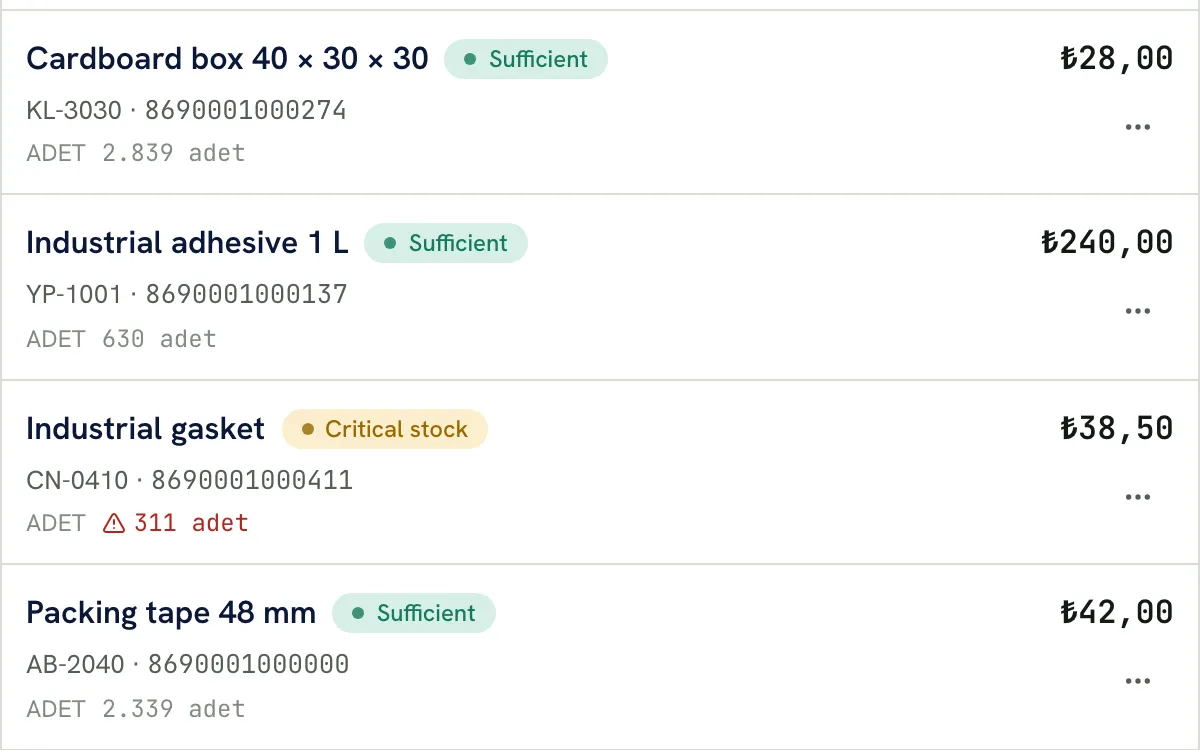
Sales reduce, purchases add. Items running low are flagged before you ask.
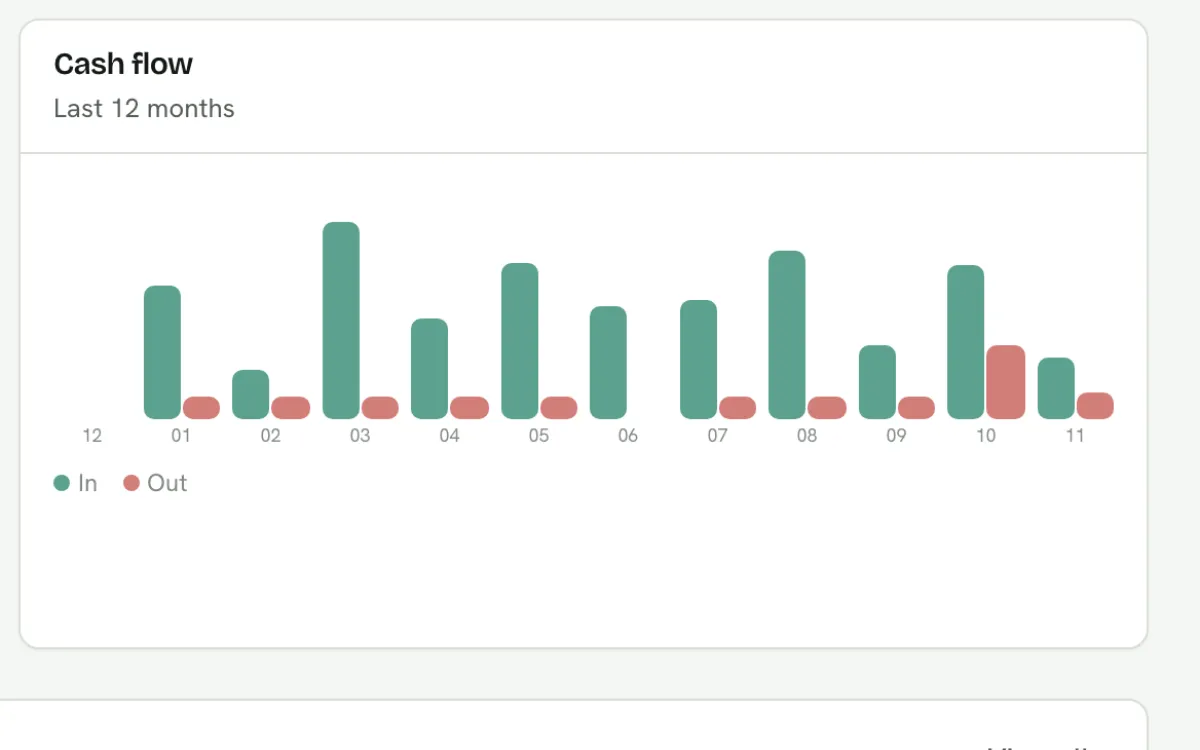
See money in and out of cash and bank, month by month.
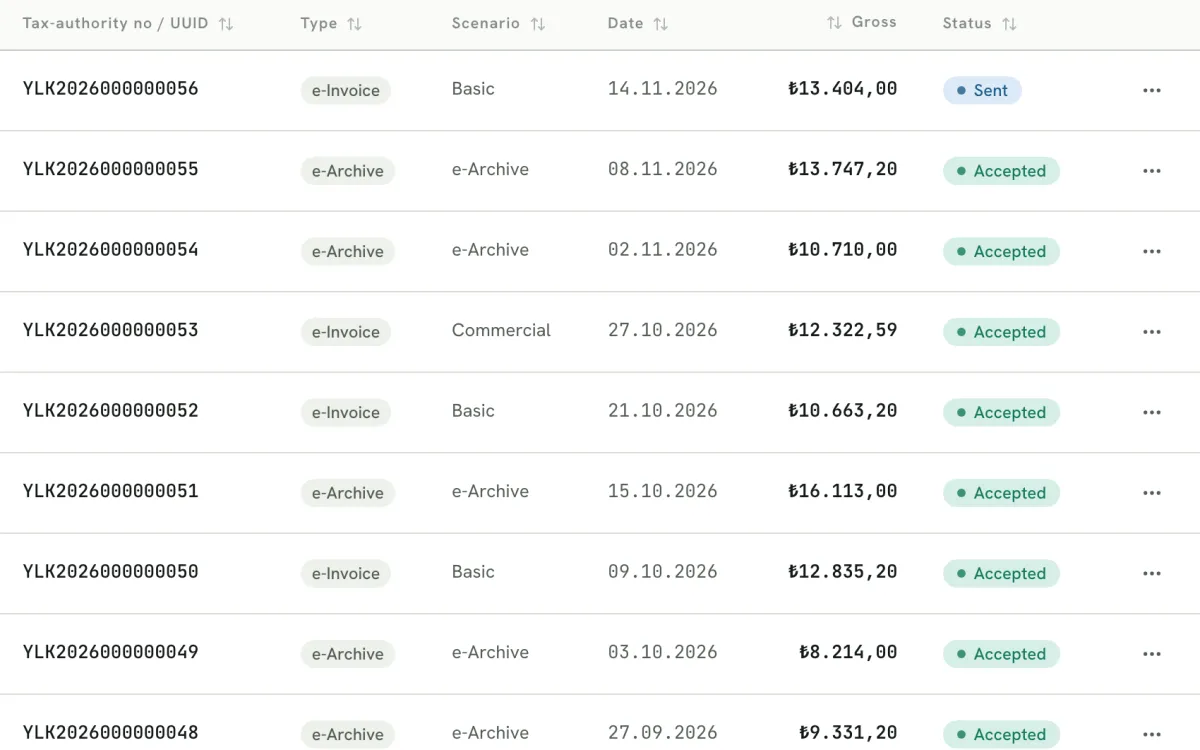
Sent or accepted: the status is written next to every document.
Try first, continue if you like it.
Issue e-invoices, e-archive, e-waybills and e-receipts; keep track of your invoices.
Stock, cash and bank, cheques and notes, bank reconciliation and reports.
Pre-accounting and e-transformation in one plan.
Your customers, products, open invoices and balances come across. Nothing is created until you approve.
How switching works
Each business's data is separated in the database. Inside, you decide who sees what.
Permission is time-limited, you can end it any time, and every session is recorded.
Download reports and lists as Excel or CSV.
Kumpara is a cloud-based pre-accounting application that lets you track invoices and e-documents, customer and supplier accounts, stock, cash and bank, cheques, collections and payments in one place. It is built for businesses that want to keep their day-to-day trade in order.
No. Kumpara helps you run your business's day-to-day pre-accounting; it does not replace the statutory accounting and tax filing your accountant handles. Because your records and reports stay in order, sharing information with your accountant becomes easier.
Yes. You can give your accountant their own user with view-only access. You can limit access to a set period; it closes automatically when the period ends. See our Accountant access page for details.
Yes. With the mobile app you can check balances, share document PDFs and record collections or payments.
Yes. You can download reports and lists as Excel or CSV, and a period's data as a single file pack. What can be exported depends on the screen and the type of record. Your data belongs to you.
Yes. Depending on the program you use, you can connect your account for a direct transfer or switch with Excel/CSV files. Data is checked first: missing tax numbers or inconsistent rows are listed for you, and your account and cash balances are compared with your old program. Nothing is created in Kumpara until you approve. See our Switching page for what can be transferred and how to prepare.
Yes. Once your e-document activation is complete, you issue and send e-Invoices and e-Archive invoices from Kumpara and track their status on the same screen, without switching to another program. See our pricing page for plan coverage and credit terms.
e-Dönüşüm if you only need e-documents; Ön Muhasebe for customer and supplier accounts, stock, cash and bank, and reports. If you will use pre-accounting and e-documents together, the Birlikte plan combines both. You can upgrade later; see our pricing page for a detailed comparison.
Yes. You can open the plan offered for trial without entering a card and try it with your own data. The trial length is shown on the plan's card. If you prefer, we can also walk through the product together in a short call.
Open your account and try it with your own data. If you have a question, we will call you.