
"I need to work out who owes what"
Customer balances update with every invoice and payment. Overdue accounts appear in a single list.
One product for growing businesses
No more invoices in one program, stock in a spreadsheet and bank statements in a folder. Kumpara brings sales, stock, cash, banking and pre-accounting together, so every morning you see where your business really stands.
Let's talk pricing — we prepare an offer based on your needs.
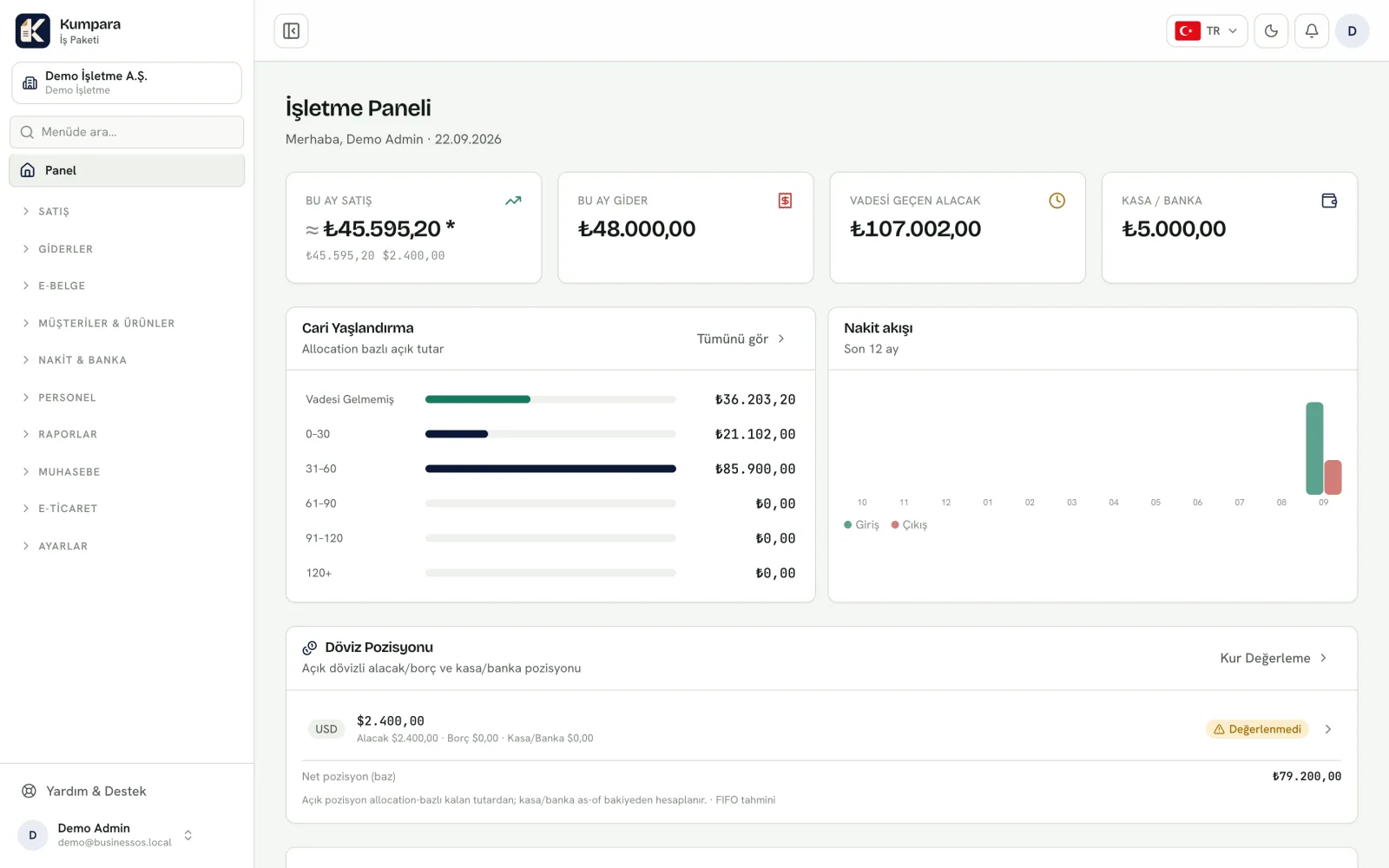
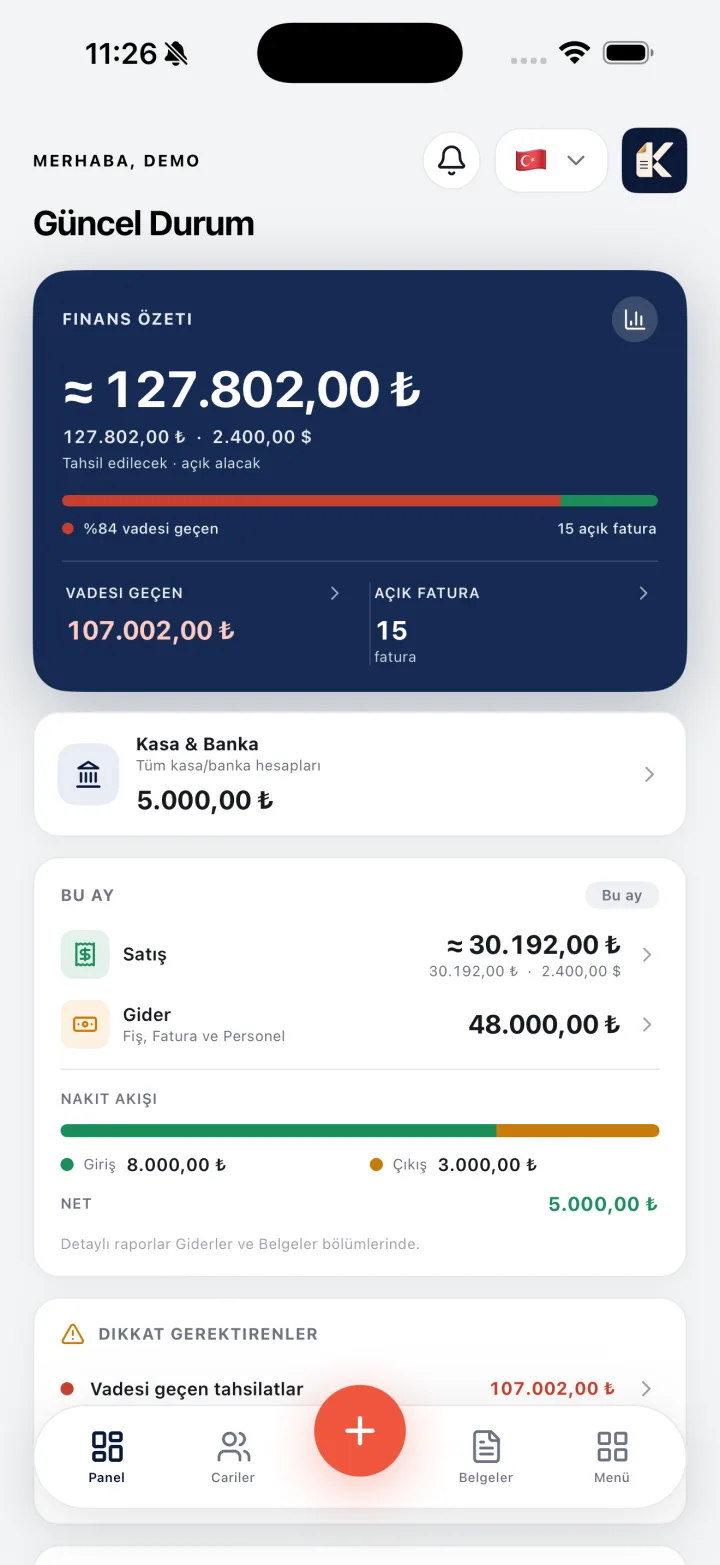
When your tools are separate, the numbers stop agreeing. Here are the three problems we hear most, and what Kumpara does about them:
Customer balances update with every invoice and payment. Overdue accounts appear in a single list.
Sales and purchases move stock automatically, and you get a nudge when a product runs low.
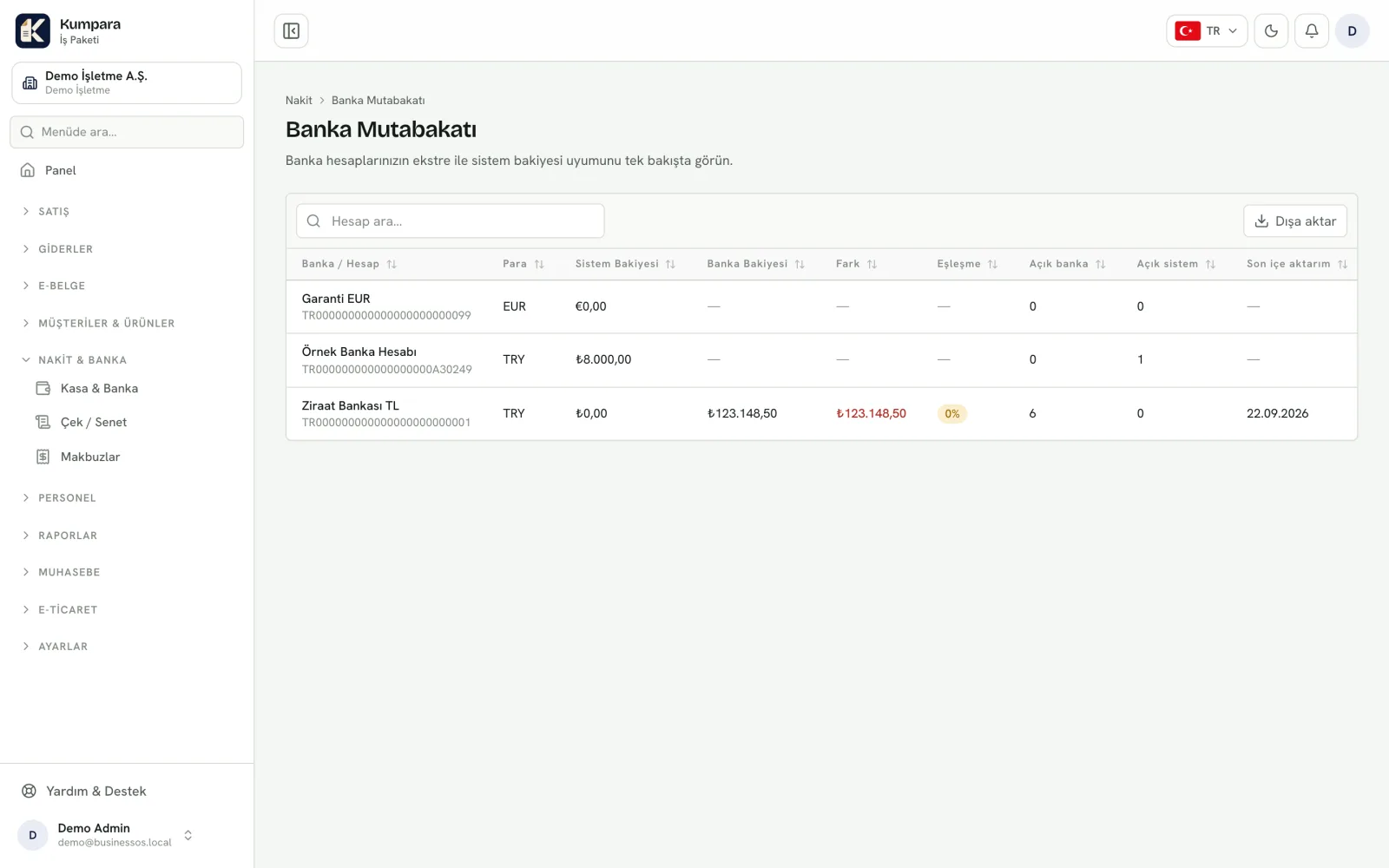
Upload your statement, match each movement in one click and see the difference straight away.
All part of one product. Turn off what you do not use and it disappears from the menu.
Send a quote, ship the order, issue the invoice — all in one flow.
ExploreSupplier invoices, expenses and incoming goods in one place.
ExploreHow much of each product you have, in which warehouse, and what it cost.
ExploreSee exactly how much money you have in cash and in the bank.
ExploreWhere each cheque is, whether it is collateral, whether it cleared — never mixed up.
ExploreUpload your bank statement and match each movement with one click.
ExploreLet your marketplace orders and payouts arrive on their own.
ExploreSend e-invoice and e-archive documents through your integrator.
ExploreTurn your invoices into accounting entries and make your accountant's life easier.
ExploreWho owes what, how much you earned, and which products actually make money.
ExplorePrint documents in your own identity — logo, signature and stamp included.
ExploreOpen it in the morning and see where the business stands.
ExploreWho can see what and which parts are switched on — all under your control.
ExploreEach step carries the previous one's information, so you never type the same thing twice.
You quote a price; nothing hits your books yet.
Once accepted, it becomes an order with the same lines.
Shipping reduces stock — and you can ship part of the order.
Approving it records what the customer owes; you can also send it as an e-invoice.
When the money lands, the invoice closes and both cash and the customer balance update.
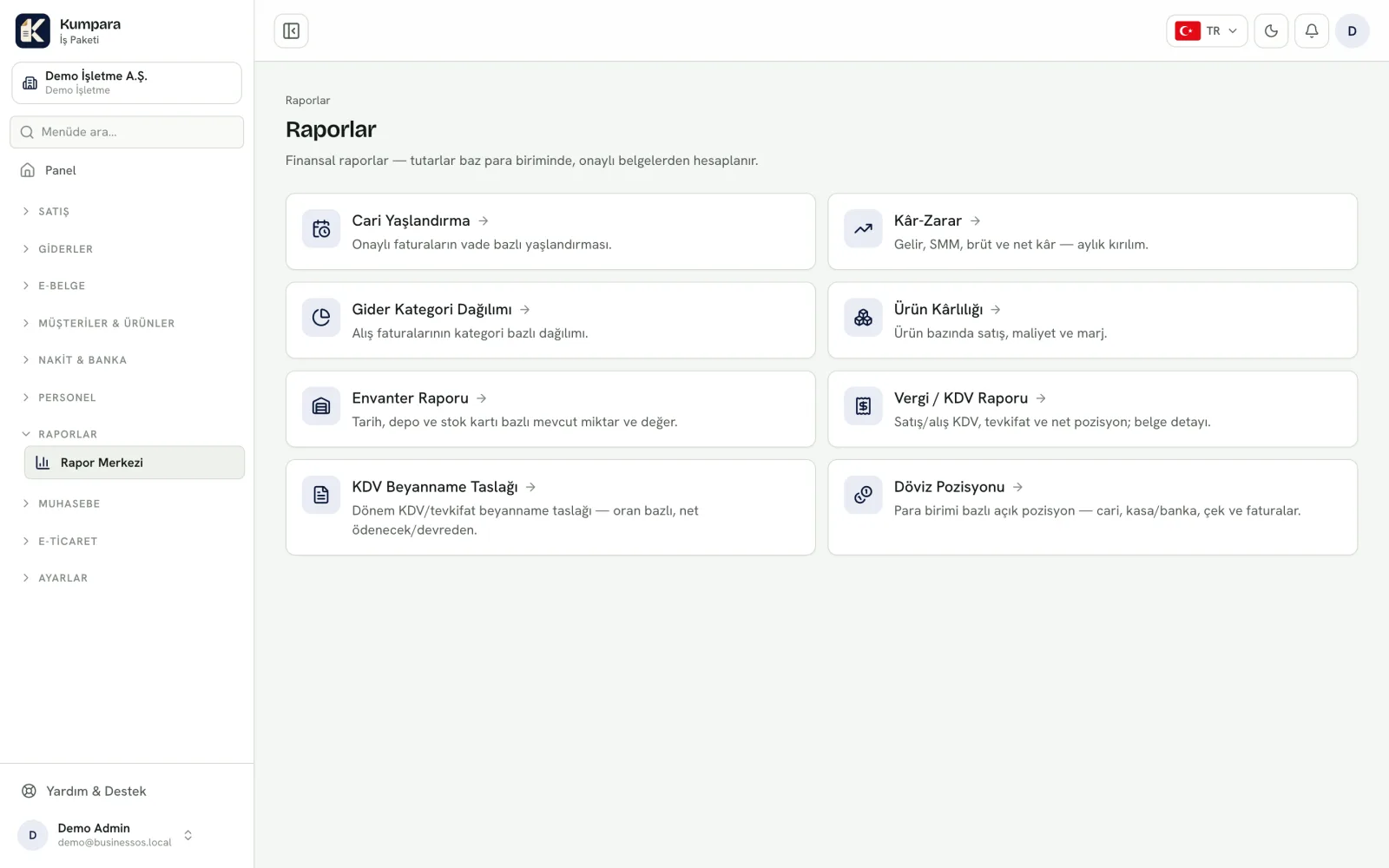
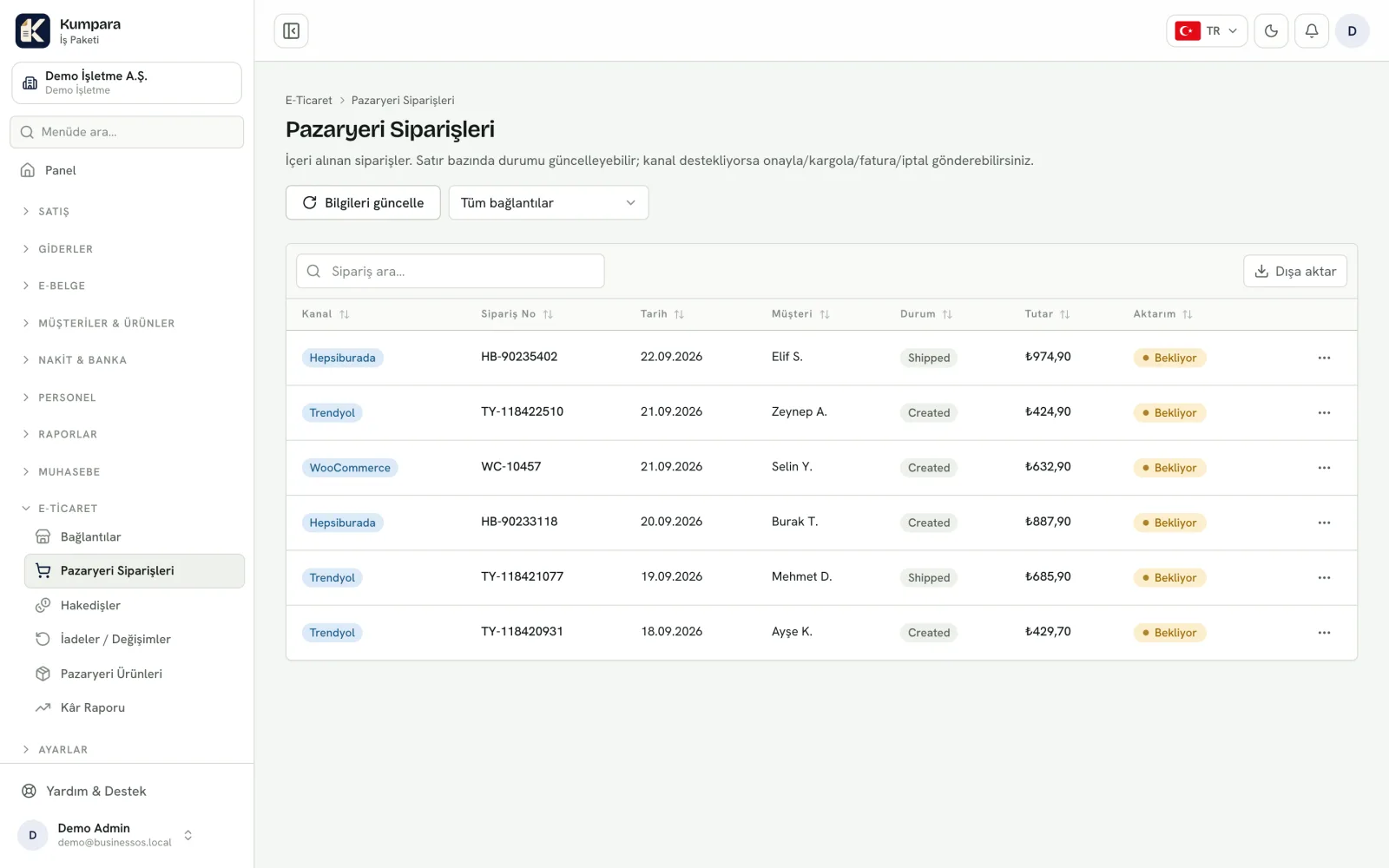
Real screens with sample data — from the dashboard to cheques, bank reconciliation and reports.
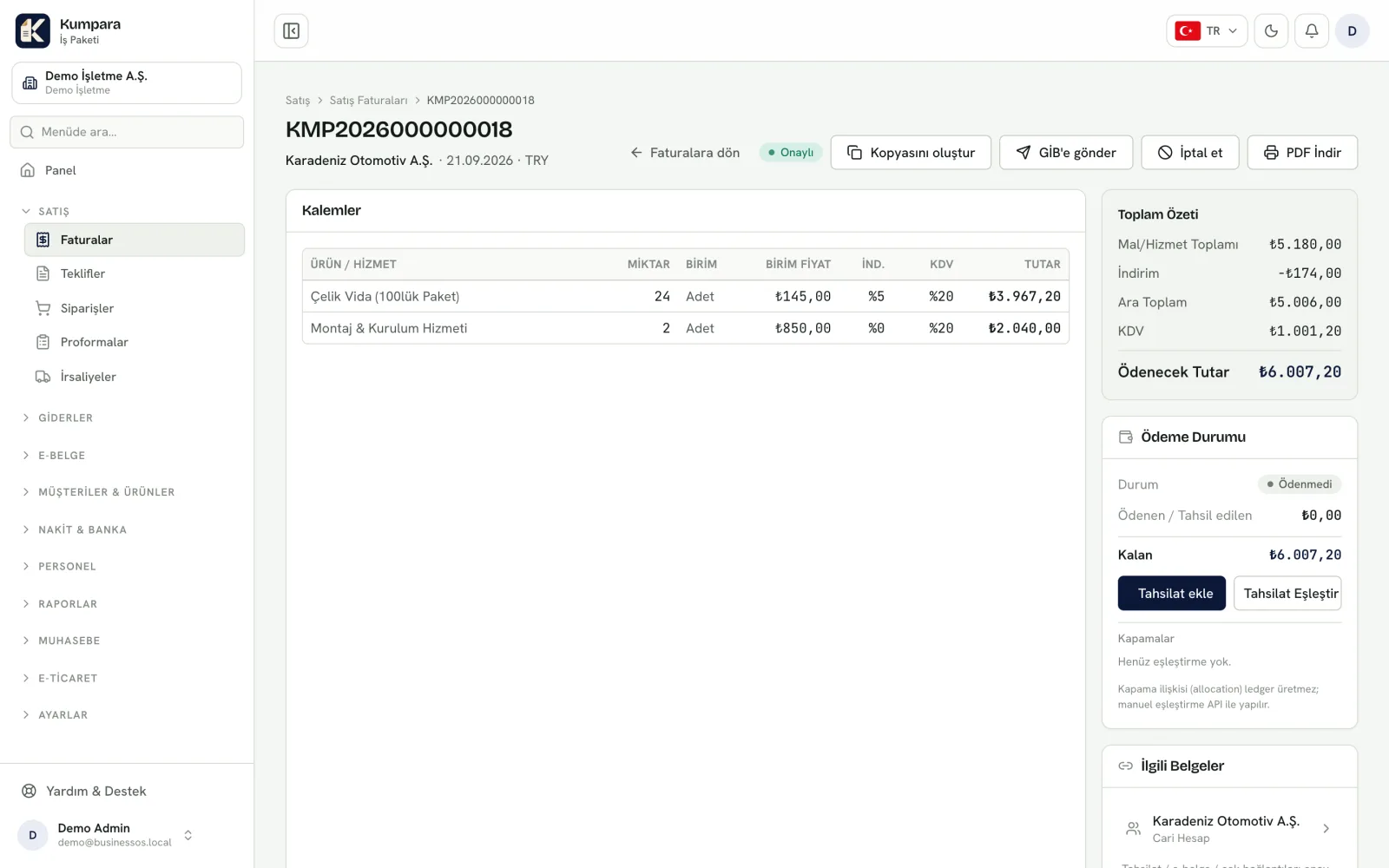
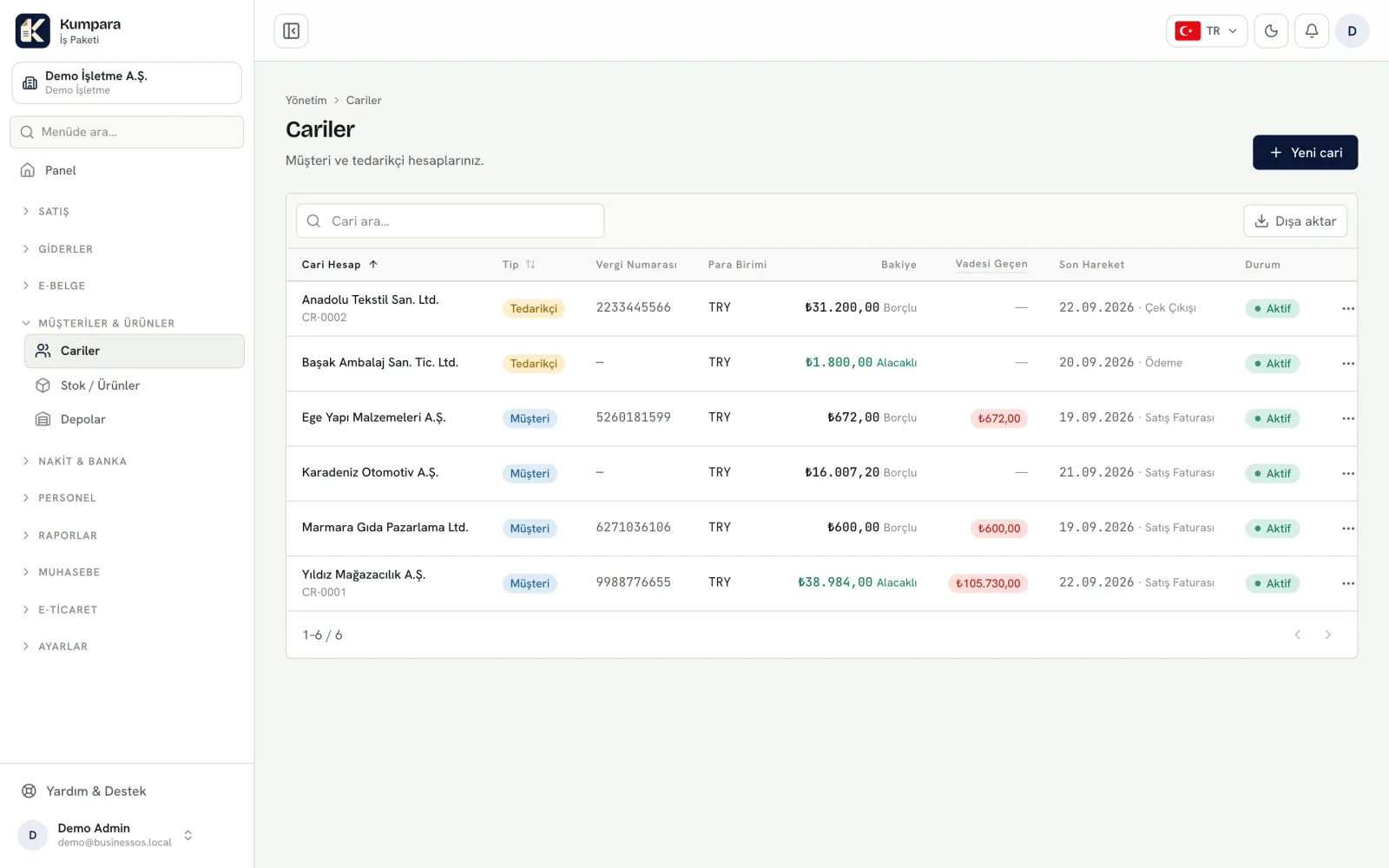
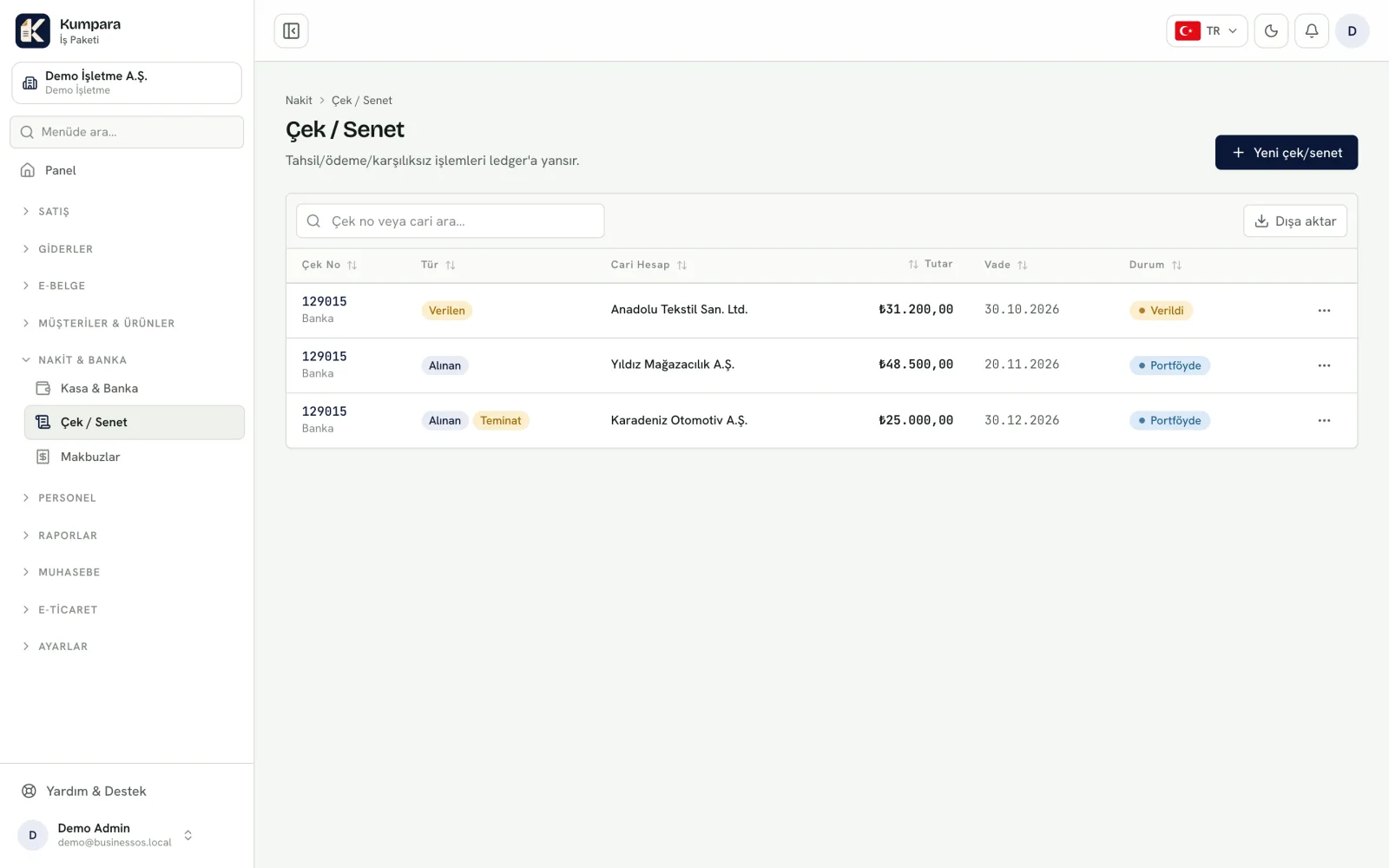
The marketplaces you sell on and your own online store connect, and orders from nine channels land in one list. Nothing is invoiced and no stock moves until you approve it — you stay in control.
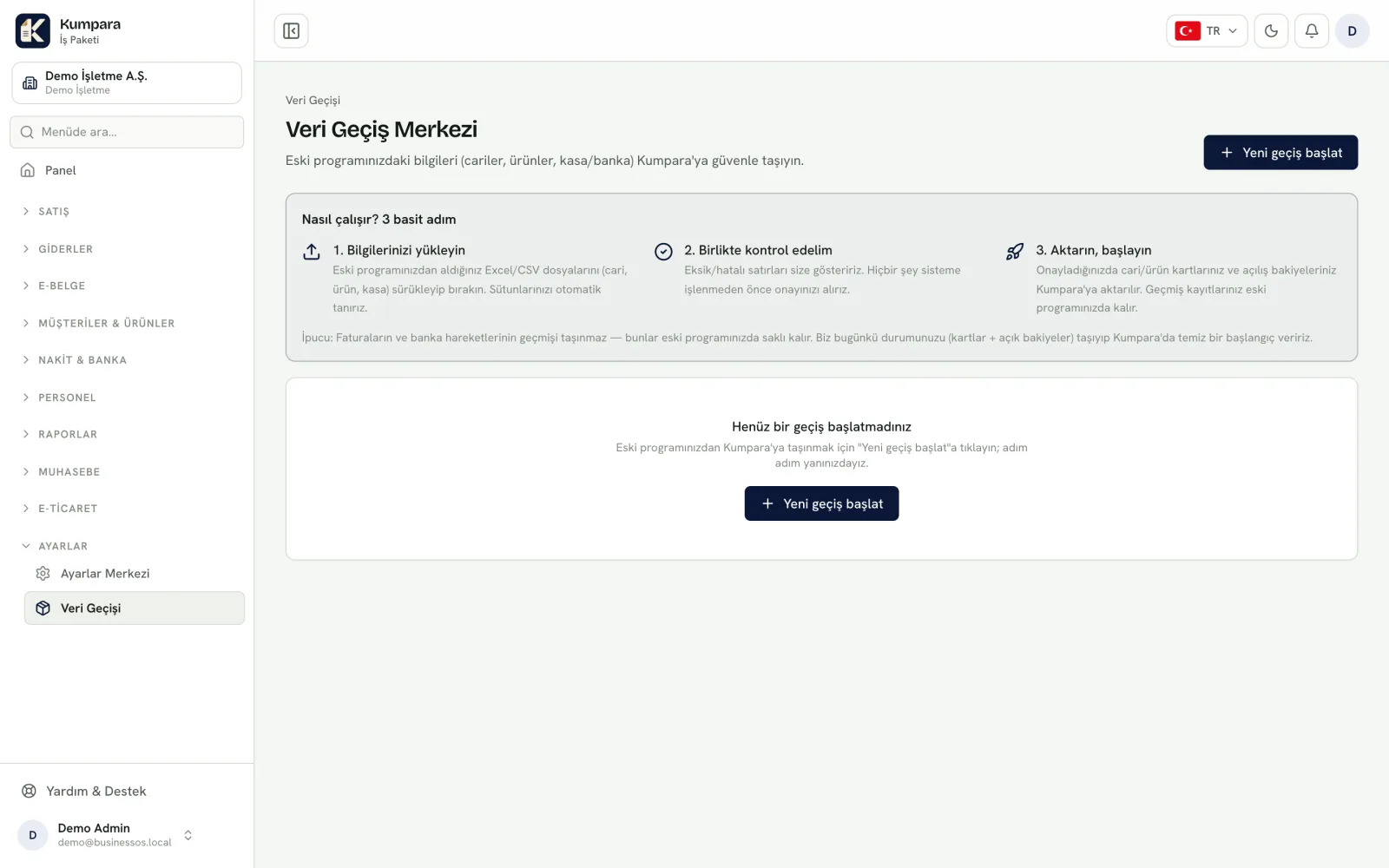
Your customers, products, open invoices and balances come across. You preview everything before the transfer, and nothing is created until you approve it.
We state plainly which connections are ready and which are on the way.
Orders, settlements and returns come in, and you push your stock and prices to the channel.
Orders arrive automatically, and you push your stock and prices to the channel.
Orders arrive automatically, and you push your stock and prices to the channel.
Orders, settlements and returns come in, and you push your stock and prices to the channel.
Orders arrive automatically, and you push your stock and prices to the channel.
Orders arrive automatically, and you push your stock and prices to the channel.
Orders arrive automatically, and you push your stock and prices to the channel.
Connect your store once; orders and products stay in sync both ways.
Orders from your own web store land in Kumpara.
From common cloud pre-accounting programs your customers, products, invoices, cash/bank and cheque data are pulled directly.
Upload your file, preview it, approve it — whatever program you are coming from.
Direct transfer from established desktop ERP suites is in preparation. Today you can switch using their Excel/CSV export.
It brings sales, purchases, stock, cash and bank, cheques, bank reconciliation, e-documents, marketplace connections and pre-accounting into one product. Everything from quoting to month-end runs in the same place.
Yes. With the iOS app you can check balances, share document PDFs and record collections or payments.
No. Each business's data lives in its own space, enforced at the database level, so another customer's records can never appear in front of you.
From common cloud pre-accounting programs by connecting your account; from anything else with an Excel/CSV file. The order is the same either way: data is pulled, missing tax numbers or inconsistent rows are listed for you, and your customer and cash balances are compared against your old program. Not a single record is created in Kumpara until you approve. A typical switch takes a few days, and you do not need to run both programs in parallel.
Yes. You send an invoice as an e-invoice or e-archive document through your integrator and follow its status on the same screen. The integrator connection is configured for you.
The price depends on your number of users, the modules you switch on and how many companies you run. Rather than quote a misleading figure, we prefer a short conversation first.
In a short call we listen to what you use today and work out together whether Kumpara fits.